
Big news, Summoners! Our Friday Riftbound League sessions are now registered in RGN. To keep things running smoothly, we need one small thing from you: your Riot ID.
Why we need your Riot ID
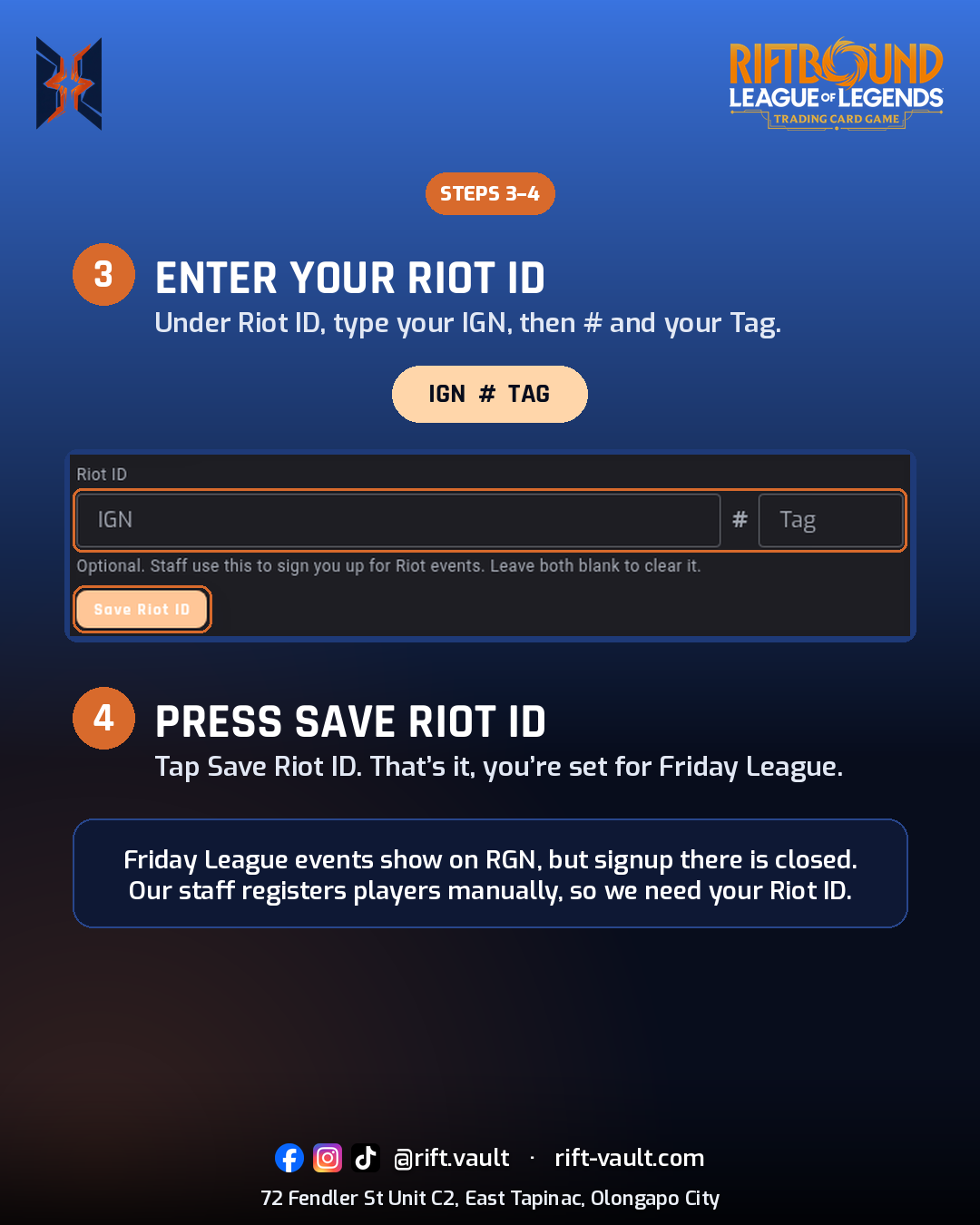
Friday League events show up on RGN, but signup there is closed. Our staff registers every player manually, so we need your Riot ID saved on your Rift Vault account to get you in.
How to add your Riot ID
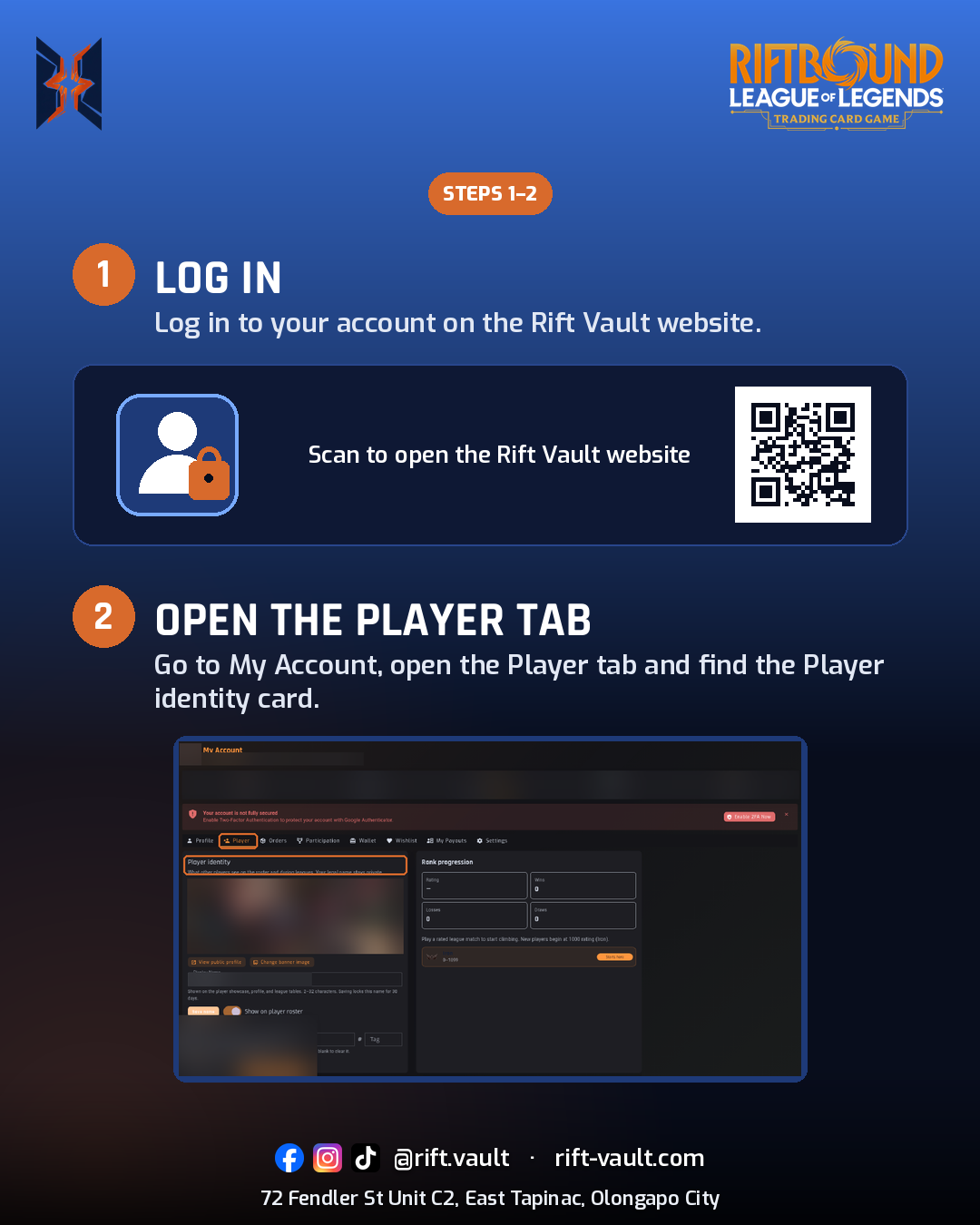
- Log in to your Rift Vault account.
- Go to My Account.
- Open the Player tab and the Player identity card.
- Under Riot ID, enter your IGN # Tag, then press Save Riot ID.
That is it! It only takes a minute, and it keeps check-in smooth for everyone on Friday night.
See you at the League
Add your Riot ID now at rift-vault.com/account, then check the schedule and standings on the 2026 Riftbound League page. See you at the tables, Summoners!